

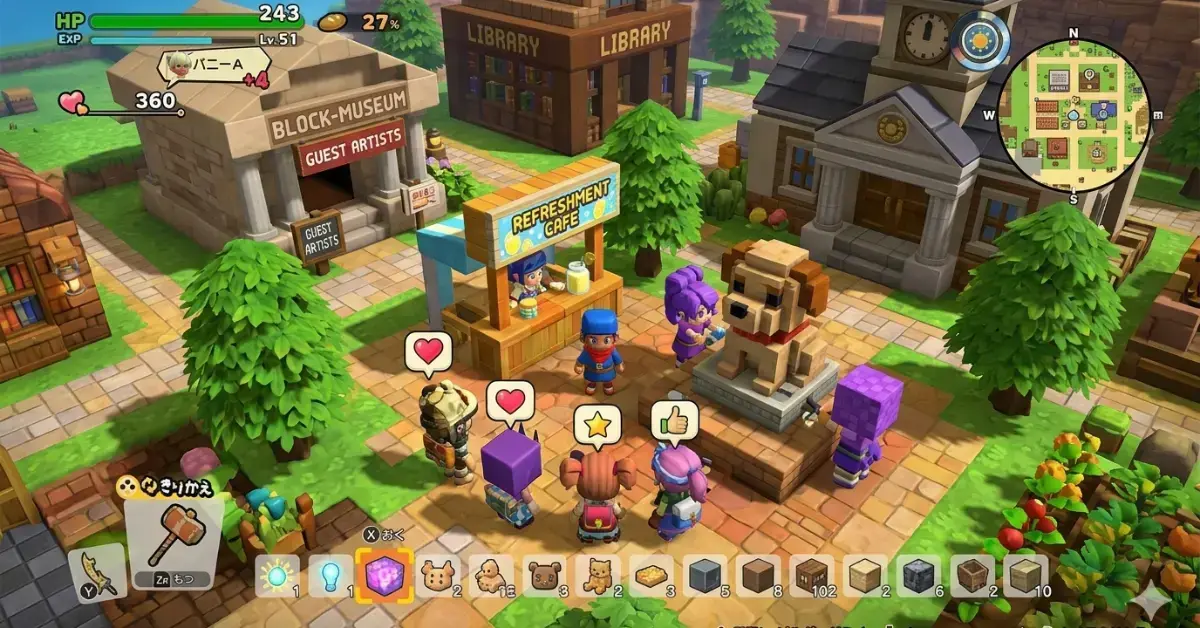
Games like Roblox for kids are a great choice for parents looking for safe, creative, and entertaining games that encourage imagination, building, and multiplayer fun. While Roblox remains one of the world’s most popular gaming platforms, many families want alternatives that offer stronger parental controls, fewer online risks, or different gameplay experiences. Whether you’re searching for free games like Roblox for kids, educational sandbox games, or child-friendly multiplayer adventures, there are plenty of excellent options available.
From Minecraft and LEGO Worlds to Toca Boca World and Animal Crossing: New Horizons, today’s games provide exciting virtual worlds, avatar customization, creative building, and cooperative play across PC, Android, iPad, Nintendo Switch, PlayStation, and Xbox.
Quick Answer:
The best games like Roblox for kids combine creativity, safe multiplayer features, sandbox gameplay, and age-appropriate content. Popular choices include Minecraft, LEGO Worlds, Toca Boca World, Wobbly Life, Terraria, and Dragon Quest Builders 2.
Quick Comparison Table
| Game | Recommended Age | Free/Paid | Platforms | Multiplayer | Offline Play | Parental Controls | Best For |
| Minecraft | 6+ | Paid | PC, Android, iOS, Switch, PlayStation, Xbox | ✅ | ✅ | ⭐⭐⭐⭐⭐ | Creative building & survival |
| LEGO Worlds | 7+ | Paid | PC, Switch, PlayStation, Xbox | Limited | ✅ | ⭐⭐⭐⭐⭐ | Family-friendly sandbox |
| Toca Boca World | 5+ | Free + In-App Purchases | Android, iPhone, iPad | ❌ | ✅ | ⭐⭐⭐⭐⭐ | Young kids & roleplay |
| Animal Crossing: New Horizons | 6+ | Paid | Nintendo Switch | Friends Only | ✅ | ⭐⭐⭐⭐ | Relaxing life simulation |
| Wobbly Life | 7+ | Paid | PC, PlayStation, Xbox | ✅ | ✅ | ⭐⭐⭐⭐ | Family co-op fun |
| Terraria | 10+ | Paid | PC, Android, iOS, Switch, PlayStation, Xbox | ✅ | ✅ | ⭐⭐⭐⭐ | Adventure & crafting |
| Dragon Quest Builders 2 | 10+ | Paid | PC, Switch, PlayStation | Limited | ✅ | ⭐⭐⭐⭐⭐ | Story-driven building |
| KoGaMa | 9+ | Free | Browser, PC | ✅ | ❌ | ⭐⭐⭐ | User-created worlds |
| Blockman Go | 9+ | Free | Android, iPhone | ✅ | ❌ | ⭐⭐⭐ | Mobile mini-games |
| Play Together | 8+ | Free | Android, iPhone | ✅ | ❌ | ⭐⭐⭐⭐ | Social sandbox |
| Growtopia | 9+ | Free | PC, Android, iPhone | ✅ | ❌ | ⭐⭐⭐ | Crafting & trading |
| Minetest | 8+ | Free | PC, Linux, Android | Optional | ✅ | ⭐⭐⭐⭐ | Free open-source sandbox |
| PK XD | 7+ | Free | Android, iPhone | ✅ | ❌ | ⭐⭐⭐⭐ | Kids’ social adventures |
| Rec Room | 10+ | Free | PC, PlayStation, Xbox, VR | ✅ | ❌ | ⭐⭐⭐ | Multiplayer mini-games |
| Portal Knights | 10+ | Paid | PC, Switch, PlayStation, Xbox | ✅ | ✅ | ⭐⭐⭐⭐ | Action RPG & building |
Why Parents Look for Roblox Alternatives
Many parents search for safe games for kids because Roblox allows user-generated content (UGC) and online interactions. Although Roblox has moderation tools, some families prefer games with:
- Stronger content filters
- Better privacy settings
- Less exposure to strangers
- More educational value
- Offline play options
- Fewer microtransactions
The games below offer many of these benefits while keeping the creativity and fun that children love.
1. Minecraft – The Best Overall Roblox Alternative
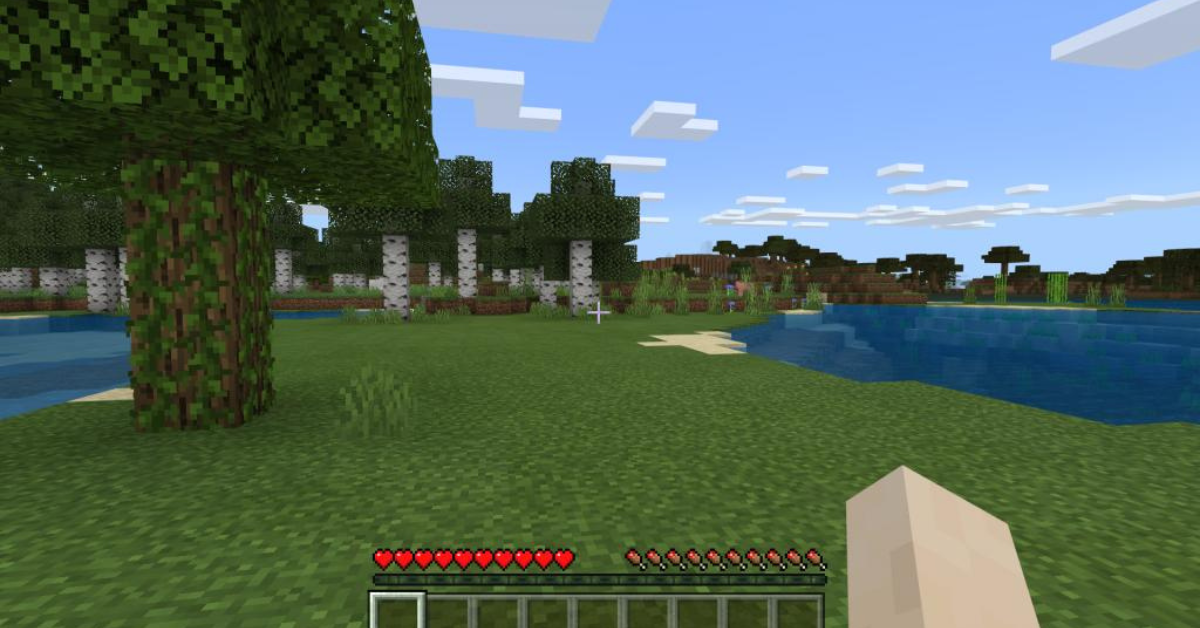
Ages 6+PCMobileSwitchXboxPlayStation
Minecraft is often considered the closest match to Roblox for children who enjoy building, exploration, and multiplayer adventures.
Why kids love it
- Unlimited creative mode
- Custom worlds
- Co-op gameplay
- Educational opportunities
- Strong parental controls
Best for:
Children ages 6–12 who enjoy creating their own worlds.
2. LEGO Worlds – Safe Creative Sandbox
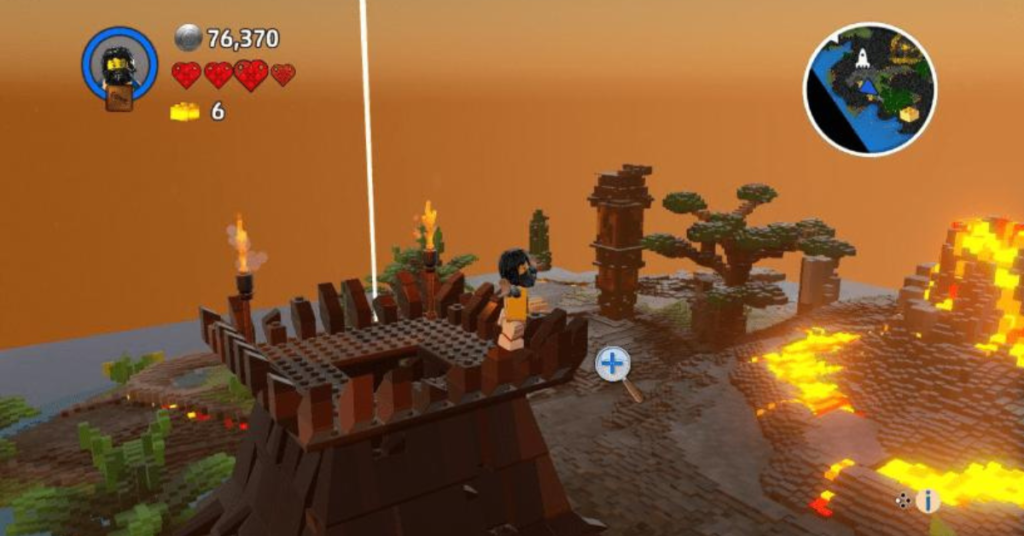
Ages 7+PCSwitchPlayStationXbox
LEGO Worlds combines the creativity of LEGO with open-world exploration.
Key features
- Sandbox gameplay
- Building tools
- Family-friendly content
- Minimal online risks
It’s one of the safest Roblox alternatives for younger kids.
3. Toca Boca World – Perfect for Younger Children
Ages 5+AndroidiPhoneiPad
Toca Boca World focuses on imagination rather than competition.
Why parents like it
- No toxic chat
- Creative storytelling
- Safe for 5-year-olds
- Encourages roleplay and creativity
4. Terraria – Adventure Meets Creativity
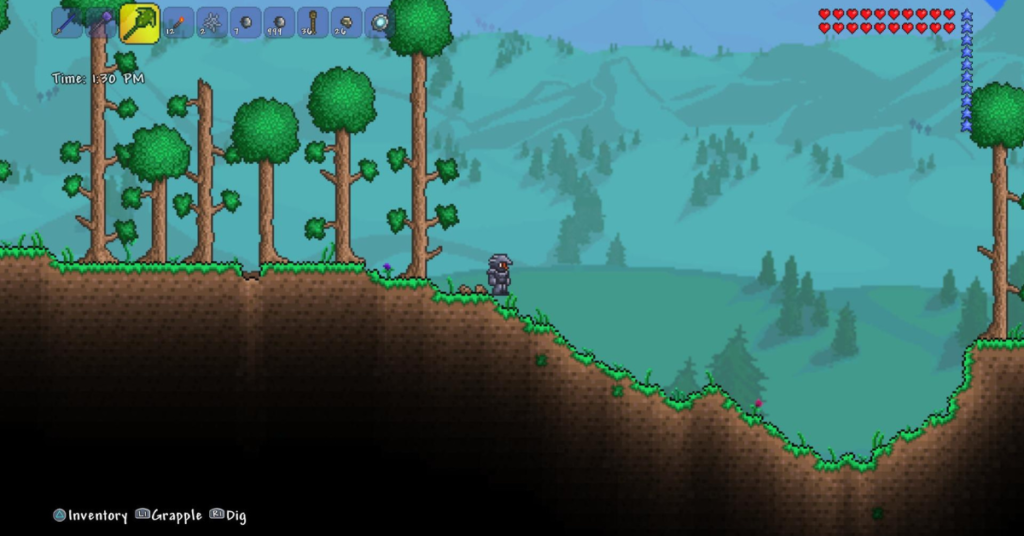
Ages 10+PCMobileSwitch
Terraria offers crafting, building, exploration, and multiplayer action.
While slightly more challenging than Roblox, it’s excellent for older kids who enjoy adventure.
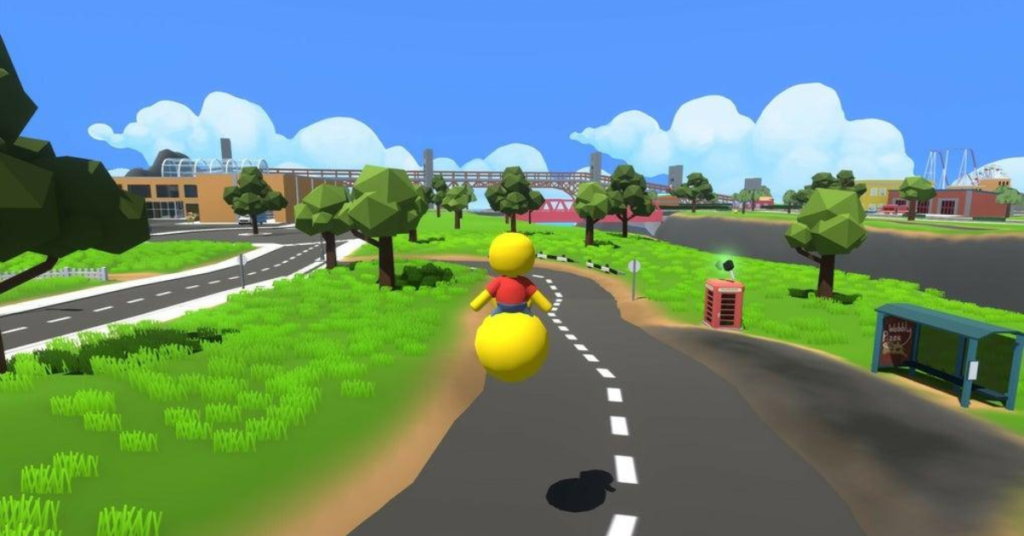
5. Wobbly Life – Hilarious Family Fun
Ages 7+PCXboxPlayStation
Wobbly Life is a physics-based open world where kids complete jobs, customize characters, and play together.
It’s especially popular for siblings and family gaming.
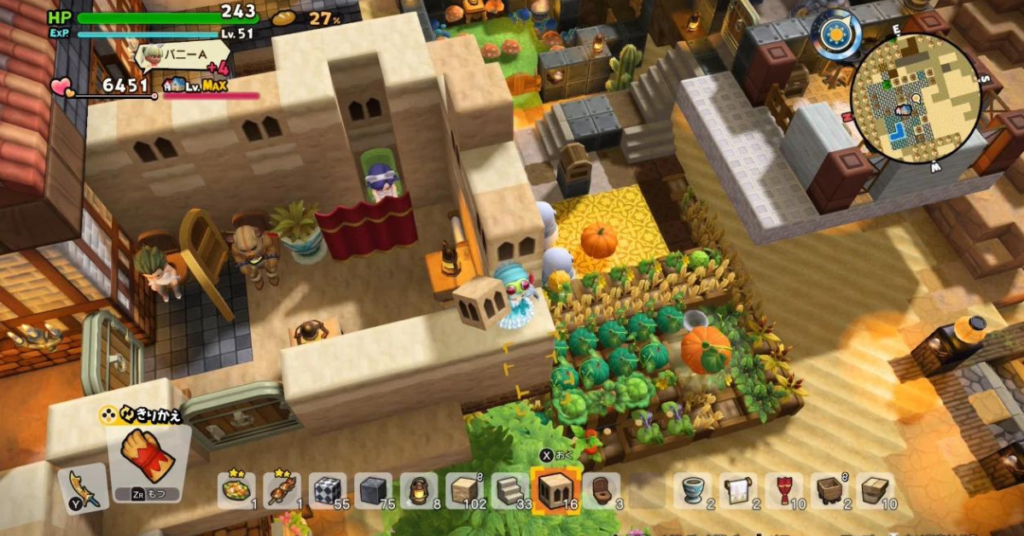
6. Dragon Quest Builders 2 – Story + Building
Ages 10+PCSwitchPlayStation
Dragon Quest Builders 2 mixes RPG storytelling with creative building.
Kids can design towns, craft items, and explore large worlds.
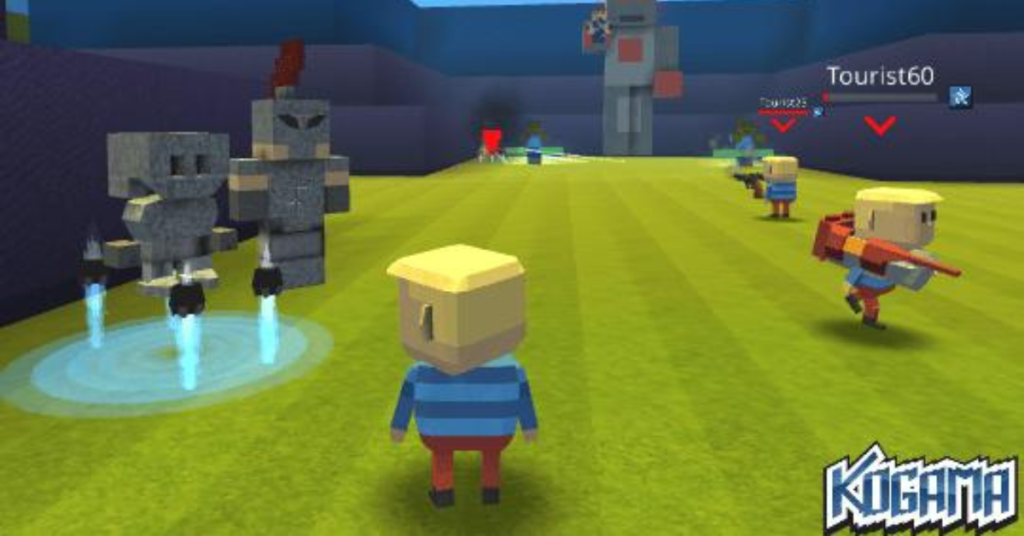
7. KoGaMa – Roblox-Style User-Created Worlds
Ages 9+BrowserPC
KoGaMa feels very similar to Roblox because players create and share games.
It includes custom maps, avatars, and multiplayer servers.
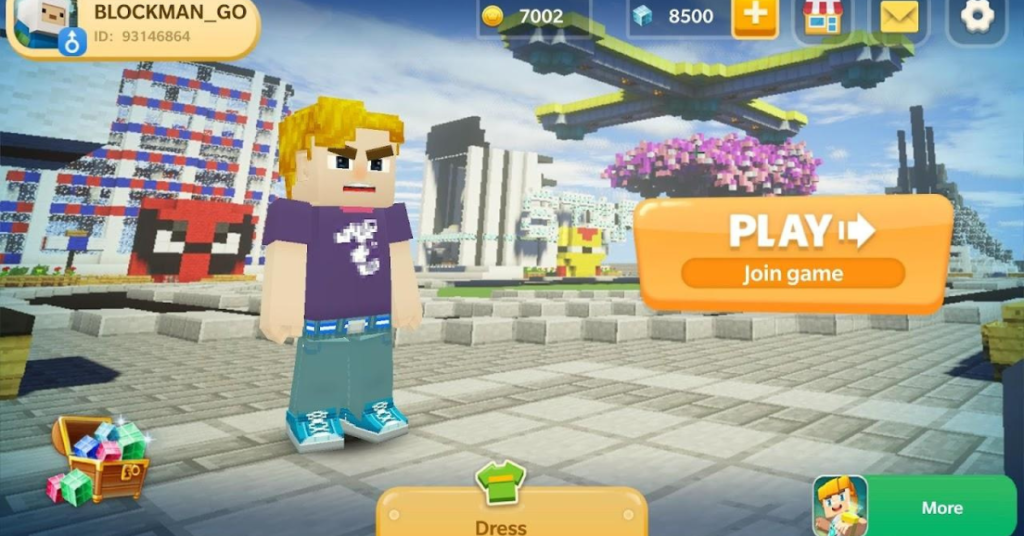
8. Blockman Go – Mobile-Friendly Roblox Alternative
Ages 9+AndroidiPhone
Blockman Go is one of the most popular games like Roblox on Android and iPhone.
Features
- Mini-games
- Custom avatars
- Online multiplayer
- Creative social experiences
9. Play Together – Social Sandbox Adventure
Ages 8+AndroidiPhone
Play Together offers a colorful virtual world where kids can decorate homes, play mini-games, and socialize.
10. Cubic Castles – Creative Online Building
Ages 8+PCMobile
Cubic Castles is a lightweight sandbox game focused on building, crafting, and community-created worlds.
Quick Parent Checklist
Before choosing any Roblox alternative, check these features:
- Parental controls
- Safe chat filters
- Age-appropriate rating (PEGI / ESRB)
- Private servers or friend-only play
- Screen time management tools
- Low microtransaction pressure
Mini Self-Check Quiz
1. Which game is generally considered the closest overall alternative to Roblox?
Minecraft
Toca Boca World
Wobbly Life
2. Which option is best for younger children around age 5?
Terraria
Toca Boca World
Dragon Quest Builders 2
3. Name two safety features parents should look for.
Best Free Games Like Roblox for Kids
Not every family wants to spend money on a new game, and fortunately, several free games like Roblox for kids deliver exciting gameplay without requiring a large budget. While some include optional in-app purchases or cosmetic items, they still offer plenty of content for children who enjoy building, exploration, multiplayer adventures, and avatar customization.
| Game | Free to Play | Best For | Platform |
| Minetest | ✅ Yes | Building & Creativity | PC, Linux, Android |
| Blockman Go | ✅ Yes | Mini Games | Android, iPhone |
| Play Together | ✅ Yes | Social Sandbox | Android, iPhone |
| KoGaMa | ✅ Yes | User-Created Worlds | Browser, PC |
| Growtopia | ✅ Yes | Crafting & Trading | PC, Mobile |
| Rec Room | ✅ Yes | Multiplayer Fun | PC, Console, VR |
| PK XD | ✅ Yes | Safe Social Play | Android, iPhone |
These games provide creative freedom similar to Roblox while giving parents more choices based on their child’s age and interests.
11. Animal Crossing: New Horizons
Recommended Age: 6+
Available On: Nintendo Switch
If your child enjoys decorating houses, collecting items, and making friends, Animal Crossing: New Horizons is one of the most relaxing alternatives to Roblox.
Unlike many online multiplayer games, it focuses on creativity, exploration, and building relationships with friendly animal villagers. There is no combat pressure, making it an excellent option for younger players.
Why Kids Love It
- Customize an entire island
- Decorate homes
- Seasonal events
- Safe multiplayer with friends
- Hundreds of collectibles
Best for: Creative children who enjoy peaceful gameplay.
12. Stardew Valley
Recommended Age: 10+
Available On: PC, Nintendo Switch, Xbox, PlayStation, Android, iPhone
While Stardew Valley is known as a farming simulation, it also encourages creativity, exploration, teamwork, and problem-solving.
Players grow crops, raise animals, decorate farms, complete quests, and play with friends through cooperative multiplayer.
Key Features
- Farming
- Crafting System
- Exploration
- Multiplayer Co-op
- Character Customization
This game is an excellent choice for older children looking for a slower-paced adventure.
13. Rec Room
Recommended Age: 10+
Available On: PC, PlayStation, Xbox, VR
Rec Room shares several similarities with Roblox because it allows players to join thousands of user-generated games.
Children can create rooms, complete challenges, play sports, or simply socialize. Parents should enable privacy settings and safe chat options for younger users.
Highlights
- User-Generated Content (UGC)
- Mini Games
- Avatar Creator
- Multiplayer Servers
- Creative Community
14. Growtopia
Recommended Age: 9+
Available On: PC, Android, iPhone
Growtopia combines building, crafting, trading, and multiplayer gameplay into one colorful sandbox experience.
Players build their own worlds, collect rare items, and collaborate with others.
Why It’s Similar to Roblox
- Player-created worlds
- Online community
- Character customization
- Sandbox gameplay
- Creative freedom
15. PK XD
Recommended Age: 7+
Available On: Android, iPhone
PK XD is designed specifically for younger audiences and emphasizes creativity rather than competition.
Children can customize avatars, decorate homes, adopt pets, and complete fun activities.
Parents appreciate its colorful environment and child-friendly design.
16. Minetest
Recommended Age: 8+
Available On: PC, Linux, Android
Minetest is an open-source sandbox game that many parents recommend as a free alternative to Minecraft and Roblox.
Although the graphics are simple, kids can build almost anything while learning basic logic and creativity.
Benefits
- Completely free
- Offline mode available
- Community-created worlds
- Low system requirements
17. LEGO Fortnite
Recommended Age: 10+
Available On: PC, PlayStation, Xbox, Nintendo Switch
LEGO Fortnite combines survival, crafting, exploration, and LEGO building into one exciting experience.
Unlike traditional Fortnite modes, LEGO Fortnite focuses on cooperation and creativity instead of competitive battles.
Children can build villages, collect resources, craft equipment, and explore large open worlds with friends.
18. Portal Knights
Recommended Age: 10+
Available On: PC, Nintendo Switch, Xbox, PlayStation
Portal Knights blends action RPG gameplay with sandbox building.
Kids travel across floating islands while collecting resources, defeating enemies, and creating unique structures.
Great For
- Creative builders
- Adventure lovers
- Multiplayer families
19. Creativerse
Recommended Age: 10+
Available On: PC
Creativerse is another voxel-based sandbox game inspired by Minecraft and Roblox.
Players can:
- Build massive structures
- Explore caves
- Farm resources
- Craft advanced tools
- Play online with friends
Its colorful graphics appeal to children while offering enough depth for older players.
20. Disney Dreamlight Valley
Recommended Age: 8+
Available On: PC, Nintendo Switch, PlayStation, Xbox
Children who love Disney characters will enjoy creating neighborhoods alongside Mickey Mouse, Elsa, Moana, Buzz Lightyear, and many others.
The game combines decorating, exploration, farming, crafting, and storytelling in a family-friendly world.
Best Roblox Alternatives by Age
Choosing a game based on your child’s age helps ensure a safer and more enjoyable experience.
| Age Group | Recommended Games |
| Ages 5–7 | Toca Boca World, LEGO Worlds, PK XD |
| Ages 6–9 | Minecraft, Animal Crossing, Wobbly Life |
| Ages 8–10 | KoGaMa, Play Together, Cubic Castles, Minetest |
| Ages 10–12 | Terraria, Stardew Valley, Dragon Quest Builders 2, LEGO Fortnite |
| 13+ | Rec Room, Creativerse, Growtopia |
Best Games by Device
Every family has different devices at home, so here’s a quick guide.
| Device | Best Games |
| PC | Minecraft, Terraria, Creativerse, Minetest |
| Android | Blockman Go, PK XD, Play Together, Toca Boca World |
| iPhone & iPad | Toca Boca World, Growtopia, PK XD |
| Nintendo Switch | Animal Crossing, LEGO Worlds, Dragon Quest Builders 2 |
| PlayStation | Minecraft, LEGO Fortnite, Portal Knights |
| Xbox | Minecraft, Wobbly Life, LEGO Fortnite |
Which Roblox Alternative Is the Safest?
If online safety is your top priority, these games stand out for younger children:
- Toca Boca World – Minimal online interaction and endless creative play.
- LEGO Worlds – Focuses on building without relying on public multiplayer.
- Animal Crossing: New Horizons – Friend-based multiplayer and family-friendly content.
- Minecraft (with parental controls enabled) – Offers private servers and customizable safety settings.
- PK XD – Designed for kids with colorful, age-appropriate activities.
Parent Tip: No online game is completely risk-free. Always review privacy settings, enable safe chat filters, use screen time limits, and encourage children to play with people they know whenever possible.
Roblox vs. the Best Alternatives: Which Game Is Right for Your Child?
Every child enjoys games differently. Some love building and crafting, while others prefer roleplay, adventure, or multiplayer mini-games. Choosing the right Roblox alternative depends on your child’s age, interests, device, and the level of online interaction you’re comfortable with.
The comparison below highlights the strengths of Roblox and its most popular alternatives.
| Game | Creativity | Multiplayer | Offline Play | Parental Controls | Best Age |
| Roblox | ⭐⭐⭐⭐⭐ | ✅ | ❌ | Good | 9+ |
| Minecraft | ⭐⭐⭐⭐⭐ | ✅ | ✅ | Excellent | 6+ |
| LEGO Worlds | ⭐⭐⭐⭐ | Limited | ✅ | Excellent | 7+ |
| Toca Boca World | ⭐⭐⭐⭐⭐ | ❌ | ✅ | Excellent | 5+ |
| Animal Crossing: New Horizons | ⭐⭐⭐⭐ | Friends Only | ✅ | Very Good | 6+ |
| Wobbly Life | ⭐⭐⭐⭐ | ✅ | ✅ | Good | 7+ |
| Dragon Quest Builders 2 | ⭐⭐⭐⭐⭐ | Limited | ✅ | Excellent | 10+ |
Overall Winner: Minecraft remains the closest alternative to Roblox because it combines sandbox gameplay, creative mode, multiplayer servers, cross-platform play, avatar customization, and strong parental controls.
Why Sandbox Games Are Great for Kids
Many parents think games are only for entertainment, but high-quality sandbox games can also encourage valuable life skills.
Unlike traditional games with fixed objectives, sandbox games give children the freedom to create their own experiences. This type of open-ended gameplay promotes learning through exploration and experimentation.
Benefits of Sandbox Games
- Encourage creativity and imagination
- Improve problem-solving skills
- Develop planning and organization
- Teach resource management
- Support teamwork in multiplayer modes
- Build communication skills
- Inspire storytelling and roleplay
- Improve digital literacy
Whether your child is building a castle in Minecraft or designing a dream home in Toca Boca World, they’re actively practicing creative thinking.
“The best games don’t just entertain children—they encourage them to create, experiment, and solve problems.”
How to Choose the Best Roblox Alternative
With so many excellent options available, choosing the right game can feel overwhelming. Instead of selecting the most popular title, think about what your child enjoys most.
For Creative Builders
Choose games that focus on construction and design.
Recommended games include:
- Minecraft
- LEGO Worlds
- Dragon Quest Builders 2
- Minetest
- Cubic Castles
For Younger Children (Ages 5–7)
Safety and simplicity matter most for younger players.
Recommended games include:
- Toca Boca World
- LEGO Worlds
- PK XD
These games feature colorful graphics, easy controls, and little or no exposure to strangers.
For Multiplayer Fun
Some children enjoy playing with siblings or friends online.
Great choices include:
- Wobbly Life
- Minecraft
- Play Together
- Blockman Go
- Rec Room
Parents should always review privacy settings, enable safe chat filters, and limit communication with unknown players.
For Educational Value
Games can support learning when chosen carefully.
Top educational picks include:
- Minecraft Education-inspired gameplay
- Minetest
- Dragon Quest Builders 2
- Stardew Valley
These games encourage critical thinking, planning, collaboration, and creative problem-solving.
Games Without Voice Chat
Many parents specifically search for games like Roblox without voice chat because they want to reduce unwanted interactions.
These options offer a safer experience for younger players:
| Game | Voice Chat | Best For |
| Toca Boca World | ❌ | Ages 5+ |
| LEGO Worlds | ❌ | Ages 7+ |
| Animal Crossing | Limited | Ages 6+ |
| Dragon Quest Builders 2 | ❌ | Ages 10+ |
| Minetest | Optional Community Servers | Ages 8+ |
Although these games reduce communication risks, parents should still monitor online activity.
Best Roblox Alternatives for Chromebooks and Low-End PCs
Not every household owns a gaming computer. Thankfully, several Roblox alternatives work well on less powerful devices.
Chromebook-Friendly Games
- KoGaMa
- Toca Boca World (Android version)
- Blockman Go
- Browser-based HTML5 games
Low-End PC Games
- Minetest
- Terraria
- Growtopia
- Cubic Castles
These games require fewer system resources while still providing engaging gameplay.
Free vs. Premium Games
Parents often wonder whether free games are worth choosing over paid ones.
| Feature | Free Games | Premium Games |
| Initial Cost | Free | One-Time Purchase |
| In-App Purchases | Common | Less Common |
| Ads | Sometimes | Rare |
| Content Quality | Varies | Usually More Complete |
| Offline Mode | Some | Often Available |
If your child is just starting out, trying a free-to-play game first can help you understand what type of gameplay they enjoy before investing in a premium title.
Parent Safety Checklist
Before your child starts playing any online game, take a few minutes to review these safety settings.
Check the game’s ESRB or PEGI rating.
Enable Parental Controls.
Turn on Safe Chat Filters if available.
Limit Friend Requests from strangers.
Review Privacy Settings regularly.
Set Screen Time Limits.
Teach children never to share personal information online.
Encourage them to report inappropriate behavior.
These simple steps can make online gaming much safer while still allowing children to enjoy creative and social experiences.
Common Mistakes Parents Make
Even with good intentions, some parents overlook important details when choosing games.
Avoid these common mistakes:
- Choosing a game based only on popularity.
- Ignoring the recommended age rating.
- Skipping privacy settings.
- Allowing unrestricted voice or text chat.
- Overlooking in-app purchases.
- Assuming every multiplayer community is moderated equally.
- Forgetting to review updates and new features.
Taking a few extra minutes to configure a game can greatly improve your child’s experience.
Expert Tips for Choosing Kid-Friendly Games
Experienced parents and educators often recommend looking beyond flashy graphics.
Focus on games that:
- Reward creativity instead of competition.
- Encourage cooperation rather than toxic behavior.
- Offer strong moderation systems.
- Allow parents to control communication.
- Match your child’s maturity level.
- Support healthy gaming habits.
Games that balance fun with creativity tend to keep children engaged for longer while also encouraging positive learning experiences.
Case Study: Finding the Right Roblox Alternative
Situation: Emma, an 8-year-old, loved Roblox but her parents wanted a safer option with less interaction from strangers.
Solution: They switched to Minecraft using a private family server and also introduced LEGO Worlds for offline building.
Result: Emma continued enjoying creative building and exploration while her parents felt more comfortable thanks to stronger privacy controls and friend-only multiplayer.
This example shows that the best Roblox alternative depends on each family’s priorities rather than choosing a single “perfect” game.
READ MORE<<<, Is PlayMyWorld Safe? Honest Safety Review for Parents in 2026
Frequently Asked Questions (FAQs)
What are the best games like Roblox for kids?
Minecraft, LEGO Worlds, Toca Boca World, and Wobbly Life are among the best Roblox alternatives for kids.
Are there free games like Roblox for kids?
Yes, games like Minetest, Blockman Go, KoGaMa, and Growtopia are free to play.
Which Roblox alternative is safest for younger children?
Toca Boca World and LEGO Worlds are the safest choices for children aged 5–7.
Is Minecraft better than Roblox for kids?
Minecraft offers stronger parental controls and offline gameplay, making it a great choice for many families.
Final Line
If your child enjoys building, exploration, and creative freedom, there are many excellent alternatives to Roblox that provide fun while supporting safer online experiences.
For most families, Minecraft remains the best overall choice because of its flexibility, educational value, and strong parental controls.If you’re looking for a game for younger children, Toca Boca World and LEGO Worlds are excellent options.
For kids who enjoy multiplayer adventures, Wobbly Life, Play Together, and Blockman Go offer engaging social experiences with colorful worlds and fun mini-games.The right choice depends on your child’s age, gaming experience, and the amount of online interaction you’re comfortable allowing.