

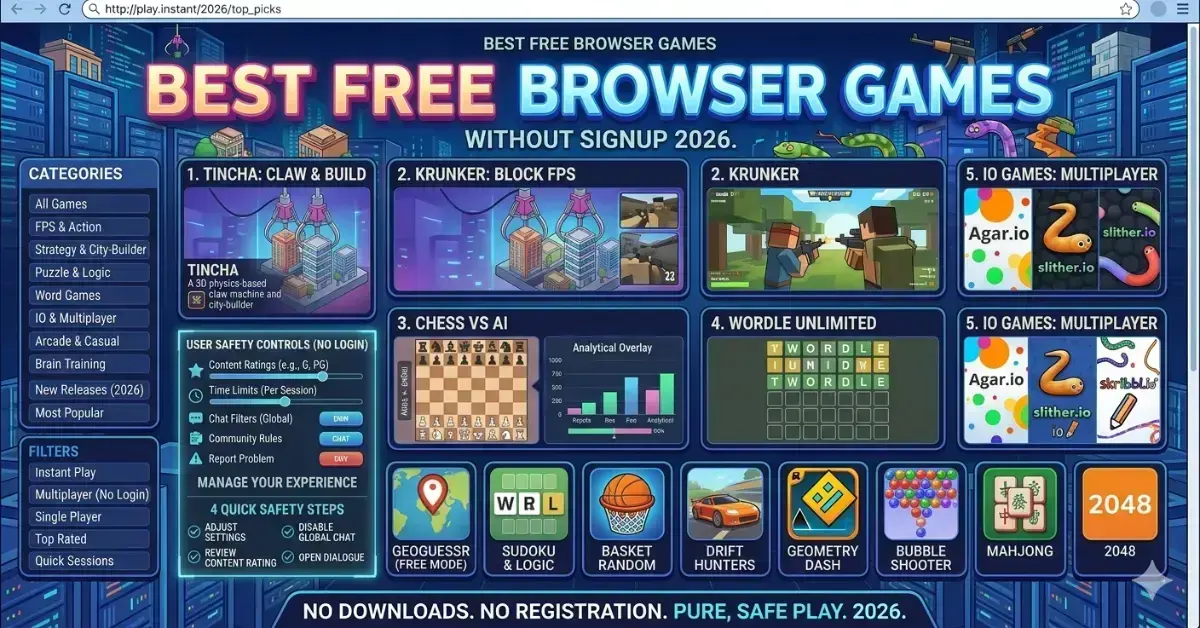
Best browser games to play at work are lightweight, browser-based games that you can enjoy during short breaks without downloading or installing anything. The best options load instantly, work on Google Chrome, Mozilla Firefox, Microsoft Edge, and Chromebook, require little system power, and can be paused at any time. Whether you enjoy puzzle games, strategy games, idle games, word games, or multiplayer browser games, there are plenty of free browser games that fit perfectly into a five- or ten-minute break.
Modern HTML5 browser games have transformed online gaming. Unlike the old Flash era, today’s games feature faster loading, smoother graphics, automatic saving, and excellent cross-platform compatibility. You can simply open a browser tab, choose a game, and start playing instantly—no launcher, no download, and often no signup required. If you’re looking for a quick mental reset during a coffee or lunch break, these games offer a fun way to relax while keeping resource usage low on office computers and older laptops.
Quick Tip: The best work-friendly browser games are easy to pause, don’t require long sessions, and work smoothly even on low-end office PCs.
At a Glance: Best Browser Games for Work Breaks
| Game | Genre | Session Length | Multiplayer | No Download | Best For |
| Wordle | Word Puzzle | 5 minutes | No | ✅ | Daily brain training |
| 2048 | Puzzle | 5–10 minutes | No | ✅ | Quick logical thinking |
| Cookie Clicker | Idle | Any length | No | ✅ | Passive gameplay |
| Little Alchemy 2 | Puzzle | 10 minutes | No | ✅ | Creative players |
| Chess | Strategy | 10–30 minutes | Yes | ✅ | Strategic thinking |
| Skribbl.io | Party | 10–15 minutes | Yes | ✅ | Playing with coworkers |
| GeoGuessr | Geography | 5–15 minutes | Yes | ✅ | Travel lovers |
| Agar.io | Arcade | 5 minutes | Yes | ✅ | Fast competitive matches |
Why Browser Games Are Perfect for Work Breaks
Many workplaces restrict software installation, making traditional PC games impractical. Fortunately, browser games eliminate that problem by running directly in your web browser. Thanks to HTML5 and WebGL, today’s games launch in seconds without taking up storage space or slowing your computer.
A good browser game for work should meet a few simple requirements. It should start quickly, save your progress automatically if possible, be easy to pause, and run smoothly on low-spec office computers. These qualities make browser games ideal for brief moments of relaxation without committing to lengthy gaming sessions.
Some people enjoy solving puzzles to refresh their minds, while others prefer strategy, simulation, or multiplayer experiences. The variety available today means there is a browser game for almost every preference.
What Makes a Great Browser Game to Play at Work?
Not every online game is suitable for the workplace. The best options share several important characteristics.
Instant Play
You shouldn’t have to wait through installations or updates. The best browser games load immediately.
No Download Required
Games that work directly inside your browser are convenient, especially on office computers where installation permissions are limited.
Short Sessions
A five- to ten-minute game is often enough to recharge your focus before returning to work.
Easy to Pause
Unexpected meetings or tasks happen. A good browser game lets you stop playing instantly.
Low System Requirements
Many offices still use older hardware. Lightweight games perform well even on Windows 10, Windows 11, macOS, Linux, and Chromebooks.
Minimal Setup
The best titles don’t require creating an account. Many allow you to start playing immediately.
1. Wordle
Genre: Word Puzzle
Best For: Daily brain exercise
Average Session: 5 minutes
Wordle remains one of the most popular browser-based word games because of its simple concept and satisfying challenge. Players have six attempts to guess a five-letter word, making it perfect for a quick mental workout during a work break.
The game encourages logical thinking, vocabulary development, and pattern recognition without demanding a long time commitment.
Why it’s great at work: One puzzle per day means you’re unlikely to lose track of time.
2. 2048
Genre: Number Puzzle
Best For: Logical thinking
Average Session: 5–10 minutes
2048 is a classic puzzle game where players combine numbered tiles until reaching the coveted 2048 tile. Despite its simple mechanics, the game requires planning and strategic movement.
Its clean design, quiet gameplay, and fast loading make it one of the best browser games for office environments.
3. Cookie Clicker
Genre: Idle Game
Best For: Casual players
Average Session: Flexible
Cookie Clicker pioneered the idle gaming genre. What begins with clicking a single cookie gradually evolves into managing an automated cookie-producing empire.
Because the game progresses even while you’re not actively interacting, it’s an excellent choice for people who prefer short, occasional check-ins instead of continuous gameplay.
4. Little Alchemy 2
Genre: Puzzle & Creativity
Best For: Creative thinkers
Average Session: 10 minutes
Little Alchemy 2 lets players combine elements such as water, earth, fire, and air to discover hundreds of new objects. Experimenting with different combinations keeps every session engaging and rewarding.
Unlike many fast-paced games, it encourages curiosity and experimentation, making it a relaxing option during lunch or coffee breaks.
5. Chess
Genre: Strategy
Best For: Strategic thinkers
Average Session: 10–30 minutes
Few games have stood the test of time like Chess. Browser versions allow you to challenge AI opponents or compete against players worldwide without installing any software.
If you enjoy planning several moves ahead and sharpening your decision-making skills, Chess remains one of the strongest choices available.
6. GeoGuessr
Genre: Geography
Best For: Travel enthusiasts
Average Session: 5–15 minutes
GeoGuessr drops you somewhere in the world using street-level imagery. Your task is to identify where you are based on landmarks, road signs, landscapes, and architecture.
It’s educational, entertaining, and surprisingly addictive while still fitting into a short break.
7. Agar.io
Genre: Multiplayer Arcade
Best For: Competitive gameplay
Average Session: 5 minutes
Agar.io challenges players to grow a tiny cell by consuming smaller ones while avoiding larger opponents. Each round is quick, making it ideal for a fast burst of action before returning to work.
Its simple controls and instant matchmaking keep the experience accessible for beginners.
8. Skribbl.io
Genre: Multiplayer Drawing Game
Best For: Team fun
Average Session: 10–15 minutes
Skribbl.io combines drawing and guessing into a fun multiplayer experience. You can create private rooms with coworkers or join public games with players from around the world.
It’s an excellent choice for remote teams looking for a lighthearted activity during virtual coffee breaks.
Best Browser Games to Play at Work (Continued)
9. Hextris
Genre: Puzzle
Best For: Fast reflexes and quick thinking
Average Session: 5–10 minutes
If you enjoy classic arcade-style challenges, Hextris deserves a place on your list of the best browser games to play at work. Inspired by Tetris but built around a rotating hexagon, the game challenges you to match colored blocks before they stack too high.
The controls are simple, loading is nearly instant, and each round lasts only a few minutes. That makes it perfect for a short coffee break without turning into a lengthy gaming session.
Why play it at work? It sharpens concentration, requires very little system power, and works smoothly in modern browsers.
10. A Dark Room
Genre: Text Adventure
Best For: Story lovers
Average Session: 10–15 minutes
At first glance, A Dark Room looks incredibly simple. The screen contains only a few lines of text, but beneath its minimalist design lies one of the most memorable browser-based games ever created.
As you progress, the story gradually unfolds, introducing exploration, crafting, and survival mechanics without overwhelming the player.
Because the interface is text-focused and distraction-free, it is an excellent choice for quiet work breaks.
11. Google Solitaire
Genre: Card Game
Best For: Relaxing gameplay
Average Session: 5–10 minutes
Sometimes the classics are still the best. Google Solitaire launches instantly from your browser and requires no installation or account.
Its familiar gameplay makes it easy to enjoy without learning new rules. Whether you have five minutes before a meeting or want a quick mental reset, Solitaire remains one of the safest choices.
12. Minesweeper
Genre: Logic Puzzle
Best For: Critical thinking
Average Session: 5–15 minutes
Minesweeper has entertained players for decades, and browser versions keep the experience alive without requiring Windows installation.
Every move requires logical reasoning rather than luck, making it an excellent exercise for problem-solving skills.
If you enjoy puzzles that reward patience and careful planning, Minesweeper continues to be one of the strongest options available online.
13. Shell Shockers
Genre: First-Person Shooter
Best For: Multiplayer action
Average Session: 5–10 minutes
Unlike traditional shooters that require powerful hardware, Shell Shockers runs directly inside your browser.
Players control armed eggs in quick multiplayer matches that are surprisingly smooth thanks to modern HTML5 and WebGL technology.
Although action-packed, matches remain relatively short, making the game suitable for occasional work breaks rather than marathon sessions.
14. Pokémon Showdown
Genre: Strategy Battle
Best For: Pokémon fans
Average Session: 10–20 minutes
Pokémon Showdown allows players to create custom teams and battle online instantly without downloading a client.
Because you can experiment with different strategies and team combinations, every match feels unique.
Competitive players especially appreciate the detailed battle simulator and active online community.
15. Universal Paperclips
Genre: Incremental Strategy
Best For: Idle game enthusiasts
Average Session: Flexible
Universal Paperclips begins with an ordinary paperclip factory before evolving into one of the most fascinating strategy experiences available in a browser.
The game combines economics, automation, artificial intelligence, and resource management into an engaging progression system.
If you enjoy idle browser games that encourage long-term planning rather than constant clicking, this title is worth trying.
16. Realm Grinder
Genre: Idle Strategy
Best For: Long-term progression
Average Session: Flexible
Realm Grinder expands upon traditional clicker mechanics by introducing factions, upgrades, achievements, and strategic decisions.
Instead of repeatedly clicking, players focus on optimizing resources and unlocking increasingly powerful abilities.
It offers impressive depth while remaining accessible through any modern browser.
Best Browser Games by Category
Choosing the right game often depends on how much free time you have and the type of experience you’re looking for.
Best Puzzle Browser Games
| Game | Why You’ll Like It |
| 2048 | Simple but addictive number puzzle |
| Hextris | Fast-paced puzzle action |
| Little Alchemy 2 | Creative combinations and discoveries |
| Minesweeper | Logical thinking |
| Sudoku | Classic brain exercise |
The Best Strategy Browser Games
| Game | Main Strength |
| Chess | Deep strategic gameplay |
| Universal Paperclips | Resource management |
| Realm Grinder | Incremental strategy |
| Pokémon Showdown | Tactical battles |
Best Multiplayer Browser Games
| Game | Best For |
| Skribbl.io | Friends and coworkers |
| Agar.io | Quick competitive matches |
| Shell Shockers | FPS action |
| Chess | Ranked online games |
Best Relaxing Browser Games
| Game | Relaxation Level |
| Cookie Clicker | Passive progression |
| Google Solitaire | Casual play |
| Little Alchemy 2 | Creative exploration |
| A Dark Room | Slow-paced storytelling |
Which Browser Game Should You Choose?
If you only have five minutes, games like Wordle, 2048, Google Solitaire, and Hextris are excellent choices.
If you have a 10–15 minute lunch break, Little Alchemy 2, GeoGuessr, Chess, and Pokémon Showdown provide a richer experience.
For players who enjoy checking in throughout the day, Cookie Clicker, Realm Grinder, and Universal Paperclips reward gradual progress without demanding constant attention.
The best choice ultimately depends on your preferred genre, available time, and whether you want a solo challenge or a multiplayer experience.
Best Browser Games to Play at Work (Continued)
17. Slither.io
Genre: Arcade Multiplayer
Best For: Quick competitive fun
Average Session: 5–10 minutes
Slither.io is one of the most recognizable .io games available today. Players control a colorful snake, collect glowing orbs, and grow larger while avoiding collisions with other players.
Its simple controls and short matches make it one of the best browser games to play at work when you only have a few minutes available. Since there’s no download or installation required, you can jump into a match almost instantly.
Why it’s work-friendly: Fast rounds, lightweight performance, and easy-to-learn gameplay.
18. Krunker.io
Genre: FPS
Best For: Fast action
Average Session: 5–10 minutes
If you’re looking for a browser-based shooter that runs surprisingly well on modest hardware, Krunker.io is an excellent choice. Built with HTML5 technology, it delivers smooth multiplayer matches directly in your browser.
The game offers multiple maps, weapons, and classes while maintaining excellent performance on Windows 11, Windows 10, macOS, Linux, and even many Chromebooks.
19. Simon Tatham’s Portable Puzzle Collection
Genre: Logic Puzzles
Best For: Brain training
Average Session: 5–15 minutes
This collection contains dozens of classic puzzle games, including logic grids, number puzzles, and pattern challenges.
Instead of relying on flashy graphics, these puzzles focus entirely on problem-solving. They’re ideal for professionals who prefer a quiet, distraction-free break.
20. Google Snake
Genre: Arcade
Best For: Retro gaming fans
Average Session: 5 minutes
The classic Snake game remains as enjoyable today as it was decades ago. Google’s browser version launches instantly and provides a nostalgic experience that’s perfect for short work breaks.
The simple mechanics make it accessible to everyone while still offering enough challenge to encourage “just one more round.”
21. QWOP
Genre: Physics Comedy
Best For: Lighthearted fun
Average Session: 2–5 minutes
QWOP is famous for its intentionally awkward controls. Guiding a runner to the finish line becomes hilariously difficult, making every successful step feel like an achievement.
Its quick sessions and humorous gameplay make it a great stress reliever after finishing a demanding task.
22. Sandspiel
Genre: Sandbox Simulation
Best For: Creativity
Average Session: 5–15 minutes
Unlike competitive games, Sandspiel encourages experimentation. Players combine different materials such as water, fire, lava, plants, and sand to create interactive environments.
It’s a relaxing browser game that rewards curiosity rather than speed.
23. Diep.io
Genre: Multiplayer Action
Best For: Upgrade lovers
Average Session: 5–10 minutes
Diep.io combines shooting mechanics with RPG-style progression. Players upgrade their tanks, unlock new abilities, and compete against others in real time.
Every match feels different, which gives the game excellent replay value.
24. Board Game Arena
Genre: Board Games
Best For: Strategy fans
Average Session: 10–30 minutes
If you enjoy traditional board games, Board Game Arena provides hundreds of titles that can be played directly inside your browser.
Chess, checkers, card games, and many modern tabletop classics are available without requiring software installation.
25. Google Pac-Man
Genre: Classic Arcade
Best For: Retro enthusiasts
Average Session: 5 minutes
Google’s browser version of Pac-Man offers the same maze-running gameplay that made the original famous.
Its familiar mechanics, instant loading, and short rounds make it one of the easiest browser games to enjoy during a quick work break.
Best Browser Games for Different Work Situations
Choosing the right game depends on how much free time you have and the type of break you’re taking.
| Situation | Recommended Games |
| 5-minute break | Wordle, 2048, Snake, Solitaire |
| Coffee break | Hextris, Slither.io, Agar.io |
| Lunch break | Chess, GeoGuessr, Pokémon Showdown |
| Relaxing after meetings | Cookie Clicker, Sandspiel, Little Alchemy 2 |
| Brain training | Minesweeper, Sudoku, Simon Tatham’s Puzzles |
| Creative thinking | Little Alchemy 2, Sandspiel |
| Multiplayer fun | Skribbl.io, Shell Shockers, Krunker.io |
| Low-end office PCs | Wordle, 2048, Cookie Clicker, Minesweeper |
Browser Compatibility
One reason browser games continue to grow in popularity is their broad compatibility across modern devices.
| Browser | Performance |
| Google Chrome | Excellent |
| Mozilla Firefox | Excellent |
| Microsoft Edge | Excellent |
| Safari | Very Good |
| Opera GX | Excellent |
Most modern HTML5 browser games also run smoothly on Windows, macOS, Linux, and Chromebooks, making them accessible whether you’re working from home or in the office.
Can You Play Browser Games on a Work Computer?
In many workplaces, browser games function without requiring administrator permissions because they don’t need installation. However, every company has different policies regarding personal use of office devices.
Always check your workplace guidelines before playing games during office hours. The safest approach is to enjoy these games during scheduled breaks such as lunch or coffee breaks.
Tips for Choosing the Best Browser Game
Instead of selecting the first game you see, consider these factors:
- Choose games that load instantly.
- Prefer titles with no download and no signup requirements.
- Pick games that save progress automatically.
- Look for games that can be paused at any moment.
- Select genres that match the amount of free time you have.
- Use lightweight games if you’re working on older office computers.
- Try different genres such as puzzle, strategy, idle, word, and multiplayer browser games to keep your breaks interesting.
Expert Insight: Short gaming sessions can provide a mental reset, but they should complement your workday rather than interrupt it. Choosing games with naturally brief rounds makes it easier to return to work on schedule.
Case Study: Finding the Right Browser Game
Imagine two coworkers with different preferences.
Sarah has only five minutes between meetings. She chooses Wordle because one puzzle fits neatly into her schedule.
David has a longer lunch break and prefers strategic thinking. He enjoys a quick online Chess match before returning to work.
Both players benefit from browser games, but the best choice depends on available time, preferred genre, and workplace policies.
Key takeaway: The ideal browser game isn’t necessarily the most popular one—it’s the one that fits your break length, device, and play style.
Pros and Cons of Browser Games at Work
| Pros | Cons |
| No download required | Some workplaces block gaming websites |
| Free to play | Easy to lose track of time if you’re not careful |
| Works on almost any browser | Some multiplayer games require a stable internet connection |
| Perfect for short breaks | Not every game supports offline play |
| Minimal storage and hardware requirements | Certain games may include advertisements |
| Wide variety of genres | Some advanced games require an account to save progress |
Quick Comparison of Popular Browser Games
| Game | Genre | Difficulty | Best For | Multiplayer | No Download |
| Wordle | Word Puzzle | Easy | Daily brain training | ❌ | ✅ |
| 2048 | Puzzle | Easy–Medium | Logic skills | ❌ | ✅ |
| Cookie Clicker | Idle | Easy | Casual players | ❌ | ✅ |
| Chess | Strategy | Medium–Hard | Strategic thinking | ✅ | ✅ |
| GeoGuessr | Geography | Medium | Travel enthusiasts | ✅ | ✅ |
| Skribbl.io | Party | Easy | Friends and coworkers | ✅ | ✅ |
| Agar.io | Arcade | Medium | Quick competition | ✅ | ✅ |
| Little Alchemy 2 | Puzzle | Easy | Creativity | ❌ | ✅ |
Expert Tips for Getting the Most from Browser Games
If you’re looking for a productive way to enjoy browser games for work breaks, keep these suggestions in mind:
- Choose games with short sessions so you can return to work without feeling rushed.
- Use browser games as a mental reset, not as a distraction from important tasks.
- Experiment with different genres such as puzzle, strategy, idle, and word games to keep breaks refreshing.
- Bookmark your favorite browser games for quick access during coffee or lunch breaks.
- Play responsibly and always respect your workplace’s policies regarding personal internet use.
READ MORE<<< Is PlayMyWorld Safe? Honest Safety Review for Parents in 2026
Frequently Asked Questions
What are the best browser games to play at work?
The best browser games to play at work include Wordle, 2048, Cookie Clicker, Chess, GeoGuessr, and Skribbl.io because they are quick, free, and require no download.
Can I play browser games without downloading anything?
Yes, most HTML5 browser games run instantly in your web browser without any download or installation.
Are browser games free to play?
Most browser games are free-to-play, although some offer optional premium features or in-game purchases.
Which browser games are best for short work breaks?
Wordle, 2048, Google Solitaire, Hextris, and Minesweeper are ideal for 5–10 minute work breaks.
Final Thoughts
Finding the best browser games to play at work doesn’t have to be difficult. Whether you enjoy solving puzzles, building strategies, exploring creative worlds, or competing with friends, today’s free browser games offer something for every type of player.
The biggest advantage of browser-based games is convenience. Thanks to HTML5 and modern web technology, you can play instantly on Google Chrome, Mozilla Firefox, Microsoft Edge, Safari, or Chromebook without installing software or filling your hard drive.
If you’re looking for a quick challenge, Wordle, 2048, and Hextris are excellent choices. Prefer something more strategic? Chess, Pokémon Showdown, and Realm Grinder provide deeper gameplay. If you simply want to unwind for a few minutes, Cookie Clicker, Little Alchemy 2, and Google Solitaire deliver a relaxing experience.
The ideal game depends on your available break time, your preferred genre, and the device you’re using. Explore a few options, discover your favorites, and enjoy a well-earned mental refresh before getting back to your day.